phone_iphone
BestPhonesForSeniors
Safety Guide · Updated May 2026

Best Senior Phones With Emergency Features in 2026

A senior phone should not just be easy to read. It should make it easy to get help fast, share location clearly, and reduce panic in urgent moments. This guide explains which SOS and safety features are actually worth paying for, and where to be skeptical.

By Marian Cole, Senior Editor · Researched & fact-checked by The BestPhonesForSeniors Editorial TeamLast updated
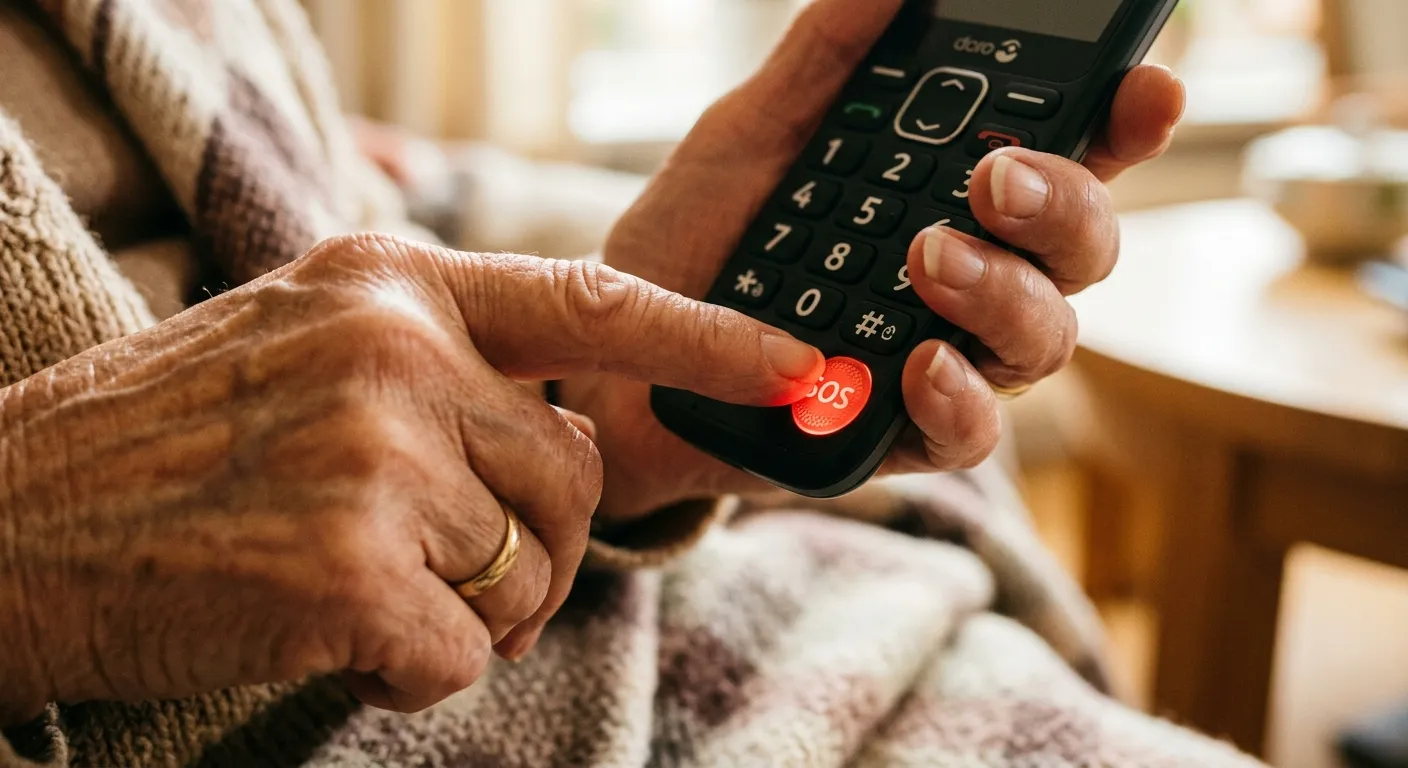
Senior phone with dedicated SOS emergency button

Your safest choice is usually the phone that makes emergency help the most obvious, not the phone with the longest feature list.

Key safety features to look for

Not every feature matters equally. These are the ones we would prioritize first for seniors and caregivers.

sos

One-Touch SOS Button

The best senior phones make emergency help obvious. A dedicated SOS button is faster and less stressful than digging through menus in a crisis.

  • check_circleWorks even when the phone is locked
  • check_circleCan call 911, a response center, or family contacts
  • check_circleOften triggers a loud alarm and location sharing
location_on

GPS Tracking and Location Sharing

Location sharing helps family members or responders find someone quickly after a fall, wandering event, or roadside emergency.

  • check_circleReal-time location for trusted contacts
  • check_circleHelpful for seniors who drive or walk alone
  • check_circleCan send coordinates automatically during an SOS event
medical_services

Medical Alert Services

Some phones connect directly to trained response agents who can assess the situation, contact caregivers, and dispatch help.

  • check_circle24/7 live operators on eligible plans
  • check_circleMedical info can be shared with responders
  • check_circleUseful when a senior is scared or disoriented
falling

Fall Detection and Check-In Tools

Premium ecosystems may offer fall detection, inactivity alerts, or caregiver check-in apps. These are helpful, but setup quality matters.

  • check_circleMore common on smartphones and wearables
  • check_circleNeeds testing before relying on it
  • check_circleBest as a layer on top of a clear SOS option

Phones we trust most for safety

These are the devices we currently recommend when emergency access and caregiver peace of mind are near the top of the list.

Jitterbug Smart4

Best if you want a smartphone with a dedicated emergency button and a simpler interface.

Read reviewarrow_forward

Jitterbug Flip2

Best if physical buttons matter most and you want emergency help available even when the phone is closed.

Read reviewarrow_forward

Consumer Cellular IRIS Connect 2

Budget-friendly full-size Android on no-contract Consumer Cellular plans from ~$20/month; uses Android's built-in Emergency SOS (no dedicated hardware button); strong customer support.

Read reviewarrow_forward

Do you need a dedicated emergency phone for seniors?

An emergency phone for seniors is not a separate product category so much as a way of prioritizing. If the main reason for the purchase is “I want Mom to be able to reach someone fast,” the field narrows quickly: you want a device where help is one obvious physical action away, not buried behind a touchscreen gesture. In practice that points to a flip phone with a dedicated button, like the Jitterbug Flip2 paired with Lively’s Urgent Response service is the clearest example, because pressing one key connects to a trained live agent rather than just dialing a preset number.

If the person rarely leaves home, weigh whether a phone is the right tool at all: an amplified landline phone with memory buttons, or a wearable medical alert device with fall detection, can be a better fit than any cell phone, because a phone only helps if it is charged, nearby, and easy to operate under stress. The safest setups usually combine one simple phone the senior actually carries with the checklist below, rather than the most feature-packed device on the market.

Looking beyond phones for fall prevention and home safety?

Visit AgingParentTech.com's home safety section for medical alerts, fall-prevention ideas, home monitoring tools, and practical products that support safer independent living.

Safety checklist before you rely on any phone

The best emergency feature is the one a senior has already practiced and can trigger under stress.

  • check_circleTest the emergency feature once a month
  • check_circleKeep emergency contacts current
  • check_circlePractice the SOS action until it feels automatic
  • check_circleMake sure location permissions stay enabled
  • check_circleUse a charging routine the senior can realistically keep

A careful word on emergency claims

This is safety information, so treat marketing language skeptically and verify before relying on any feature. An “SOS button” can mean very different things: some dial 911 directly, some text preset contacts, and some connect to a paid monitoring service. Fall detection and crash detection can miss events or trigger false alarms, and most need setup and an active subscription to do anything. None of this replaces a dedicated medical alert system or a call to 911 when seconds matter. Confirm exactly what each phone and plan does with the manufacturer or carrier, and test it yourself before depending on it.

Useful primary sources

Device feature descriptions on this page reflect manufacturer and carrier documentation as of May 2026; features and pricing change, so confirm current details before buying. This guide is general information, not medical advice.

Need the safest phone for a specific situation?

Take the Phone Finder quiz and we will narrow the choice based on hearing, vision, tech comfort, and urgency around safety features.

Find the right safe phonearrow_forward